

Forecast and reforecast in FMS
Forecast and reforecast built into the budget, so you can replan the year based on actuals
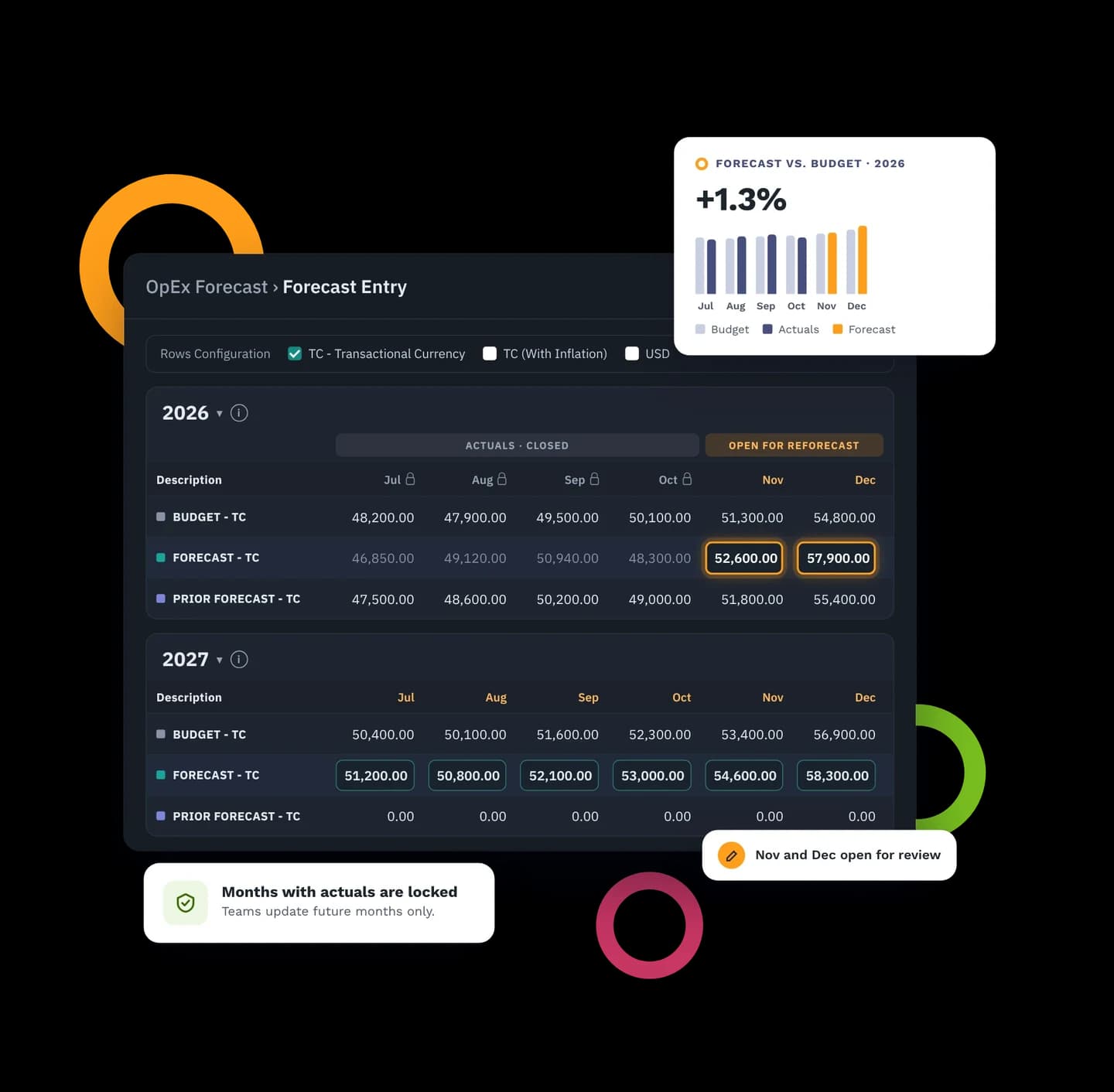
FMS brings forecast and reforecast into the same workflow as the budget. The FP&A team opens the cycle, departments update only the months still ahead, and controllership compares budget, forecast and actuals without building a parallel spreadsheet. All in multiple currencies, with inflation and exchange rates applied by FMS itself.
The problem
Forecasting in spreadsheets means rework every cycle
The budget is approved, the year starts and actuals are already drifting from the plan. Updating the projection every time that happens takes weeks of the finance team's time.
Every cycle starts from scratch
Someone copies the budget, sends the files out to each department and then consolidates everything back. In the next round, the process repeats.
Closed months remain editable
Without a lock, it is easy for someone to change a month that already has actuals and distort the comparison with what really happened.
Comparisons built by hand
Budget vs. forecast, current forecast vs. the previous one, everything vs. actuals: each view is a new spreadsheet, with formulas someone has to check.
How FMS solves it
How FMS handles forecast and reforecast
The forecast starts from the approved budget and stays in the same system, with the same lines, currencies and approval rules.
Forecast cycle with a deadline
The administrator opens the cycle, sets the round and the deadline, and FMS copies the budget as the starting point. Departments receive the forecast ready to review, with no files to send around.
Only future months change
Months that already have actuals are locked. Departments adjust what is still ahead, on screen or through Excel import with validation and an approval workflow.
Reforecast by cost center
Reforecast compares budget, target, original forecast and projection by cost center and cost class, calculates credit and debit adjustments for the remaining months and allows manual adjustments before applying them.
Scenario planning
Replan based on what was budgeted, projected and actually spent
In FMS, scenario planning means comparing the versions of the plan with what actually happened and deciding, from there, how to adjust the rest of the year.
Budget, forecast, reforecast and actuals side by side
Actuals come from the ERP and sit next to each version of the plan. Variance reports show where the projection moved away from the budget and why.
Current forecast vs. the previous one
FMS keeps the previous version of the forecast so you can compare round against round and explain what changed between revisions, with bridge charts.
Currencies, inflation and exchange rates by version
Each projection is shown in local currency, with inflation, and converted to the consolidation currency, using exchange rate and inflation tables specific to the forecast.
Frequently asked questions
What is the difference between forecast and reforecast?
The forecast is the updated projection for the year, prepared by departments from the approved budget. The reforecast readjusts that projection so the year closes within a target, redistributing the balance across the remaining months. In FMS, both happen in the same system as the budget.
Does FMS use ERP actuals in the forecast?
Yes. Actuals are integrated into FMS from the ERP, and months that already have actuals are locked in the forecast. That way, departments only project what is still to come.
Can I compare the current forecast with the previous one?
Yes. In each cycle, FMS keeps the previous version of the forecast. Reports compare forecast vs. budget, forecast vs. previous forecast and actuals vs. budget.
Does FMS handle Capex forecasting?
Yes. Capex Forecast has its own cycle, which starts from the projects in the Capex budget, covers only the months still ahead and goes through manager and FP&A approval. When a project is capitalized, the amounts defined in its settlement rules flow into the cost centers' forecast.
Schedule your demo
Fill out the form and a PRAESKIUS specialist will get in touch.
Prefer to talk first? Talk to a specialist